Set up your taxes
Start from your country's rule pack, choose how prices and rounding work, and check what a document would charge.
Adimone works out the taxes on your documents from your tax codes, such as VAT, sales tax or withholding taxes. A country's rule pack brings the codes, rates and groups businesses there use, with the history of each rate, so a document of any date is taxed at the rate of its day.
Start from a rule pack
Open Taxes. While nothing is set up, pick your country's rule pack and choose Use this rule pack.
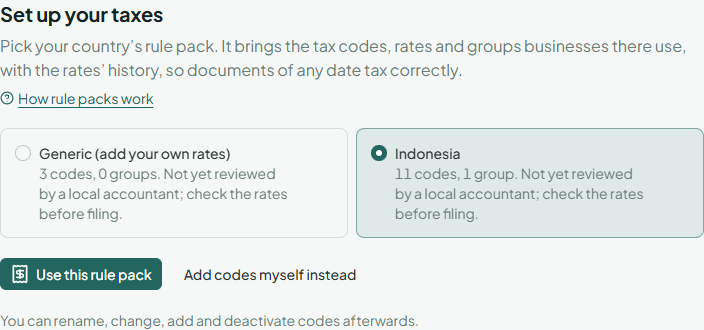
Each pack says whether a local accountant has reviewed it. Check the rates of a pack that isn't reviewed before you file. To set up codes by hand instead, choose Add codes myself instead.
The codes are added in the language you use the app in, and you can change them afterwards (see Manage tax codes and groups).
Choose how taxes are calculated
Open the Settings tab.
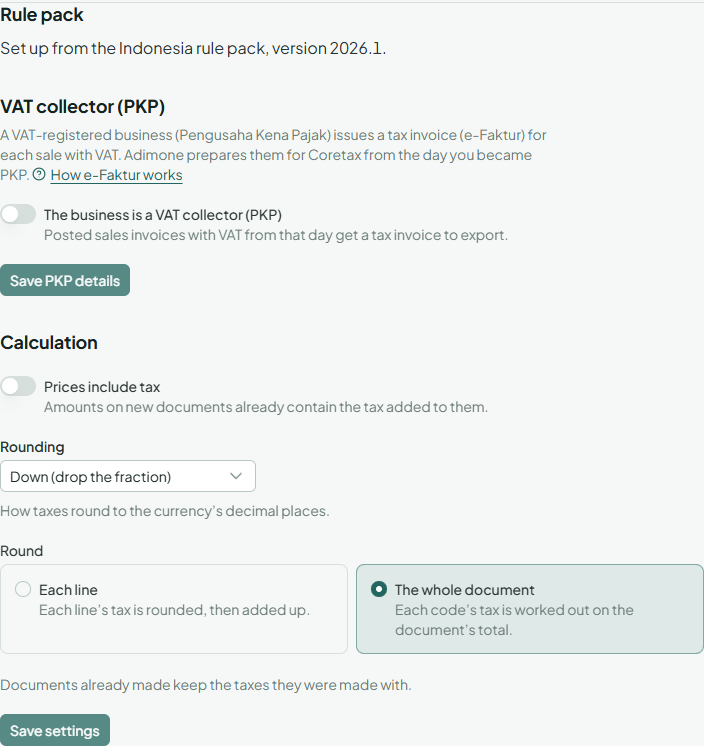
- Prices include tax: turn it on when the prices you type already contain the tax (common in shops).
- Rounding: how taxes round to the currency's decimal places. Use what your tax office expects; the rule pack sets it for you.
- Round: Each line rounds every line's tax, then adds them up; The whole document works out each code's tax on the document's total.
Choose Save settings. Documents already made keep the taxes they were made with.
When the rule pack publishes a newer version, the settings say so. Update adds the codes, groups and rates published since, and leaves what you changed alone.
Try a calculation
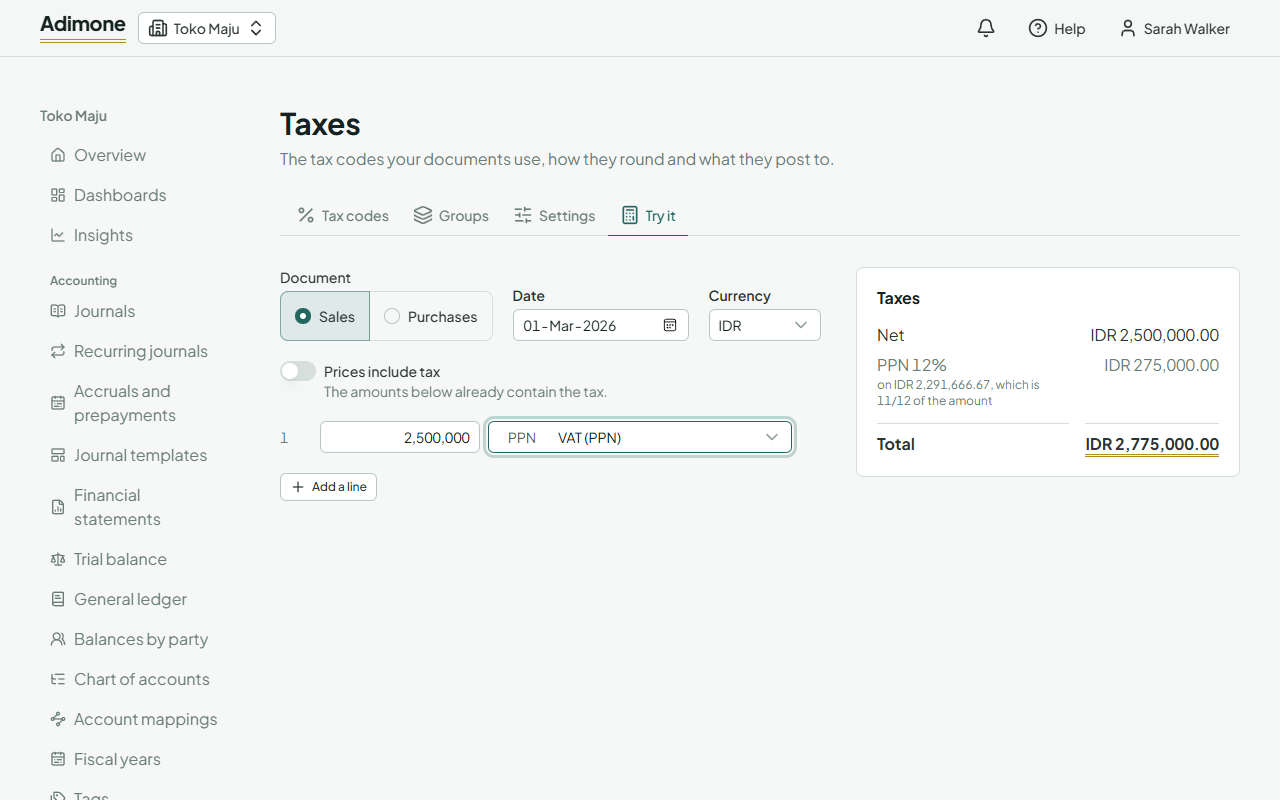
The Try it tab works out a document's taxes the way documents will, without saving anything.
- Choose Sales or Purchases, the date and the currency.
- Type each line's amount and pick its taxes: a group, or up to five codes.
- The totals appear on the right: net, each tax with the amount it's charged on, the total and, with a withholding, what's withheld and what the other party pays.