
Financial statements
Read the income statement, balance sheet, cash flow and changes in equity, compare them with earlier periods or a budget, and split them by tag.
The financial statements show the business as the posted books see it: the profit it made, what it owns and owes, where its cash went, and how its owners' equity changed. They are drawn from every posted journal and document, in your base currency; drafts don't count.
Read a statement
- Open Financial statements.
- Pick a statement along the top: Income statement, Balance sheet, Cash flow or Changes in equity.
- Pick the dates under From and To, or choose one under Period. Without dates, a statement runs from the start of this fiscal year to today.
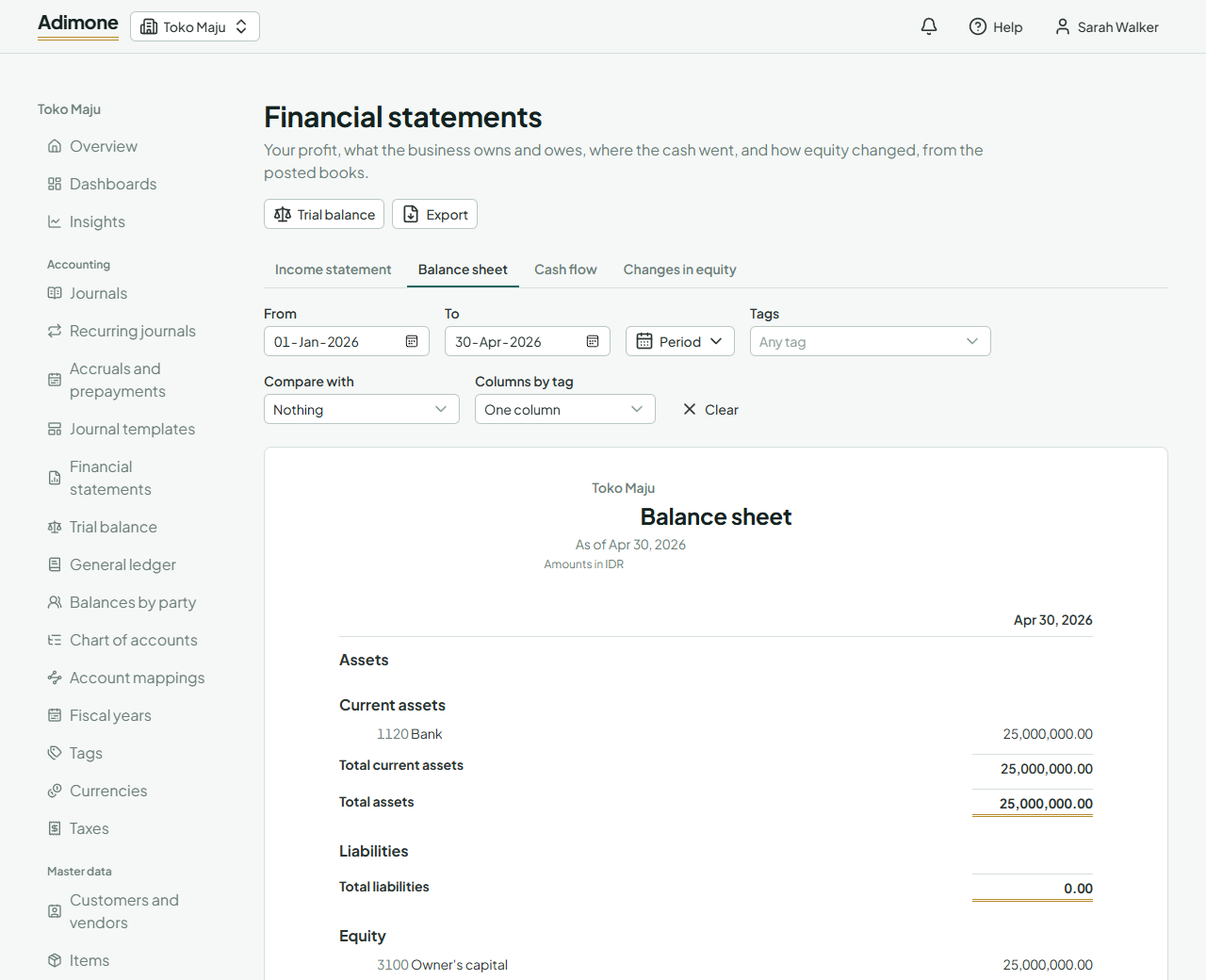
Amounts in parentheses are negative, such as a loss. Choose an account's name to see its activity month by month over the statement's dates, or an amount in an earlier column to see that column's dates. The dates and choices stay in the address, so you can bookmark or share a statement.
The income statement
What the business earned and spent between the two dates: revenue, then cost of sales and the gross profit, operating expenses and the operating profit, other income and expenses, profit before tax, income tax, and the net profit. Accounts are grouped by their type, and only accounts with an amount in some column are listed.
The balance sheet
What the business owns (assets), what it owes (liabilities) and what is left for its owners (equity) on the To date. Total assets always equal total liabilities and equity.
- Retained earnings hold the profit of the years before the current fiscal year; Profit for the year to date is this year's.
- When a customer has paid more than they owe, the balance shows as Customer deposits and credit balances under liabilities rather than reducing receivables. A vendor you paid ahead shows as Advances and debit balances with vendors under assets. Nothing is posted for this: the statement only presents it.
The cash flow statement
Where the cash came from and went between the two dates, in operating, investing and financing activities, then the net change, the cash at the start and the cash at the end. Cash is every account classified as cash in the chart of accounts.
Under Method, Indirect starts from the net profit and adjusts it for the changes in receivables, payables, stock and other accounts. Direct lists the cash actually received and paid, by account.
Changes in equity
How each equity account moved between the two dates: its opening balance, contributions, drawings and other movements, the net profit, and its closing balance. The totals equal the equity on the balance sheets of the day before From and of To.
Compare with earlier periods or a budget
Under Compare with, pick:
- The period before: the same length just before (whole months stay whole months).
- The year before: the same dates a year earlier.
- A budget (income statement only): the budget's column and the Variance, actual less budget. Under Budget, pick one, or leave Each month's own budget to use the budget that covers each month. Budgets are made under Budgets.
With the period or year before, Comparatives adds up to three earlier columns.
Columns by tag
Under Columns by tag, pick a tag group, such as branches, to see a column for each tag, an Untagged column for what carries none, and the Total. Columns by tag and comparisons can't be shown together.
Under Tags, pick tags to count only the lines tagged with every one. An entry usually tags only some of its lines, so a balance sheet filtered by tag may not balance; the statement then shows a Not balanced line with the difference.
Export a statement
Choose Export to save the statement as a PDF, an Excel workbook or a CSV file, with the same dates and choices. See export reports.
When a statement is refused
- A date before the compaction cutoff: years past their retention are kept as summaries, and a column may start only on such a year's first day. Pick a later From.
- More than 20 tags in the group: pick a group with fewer tags, or filter by tags instead.