
Closing a month and a year
Close a month through its checklist, close the fiscal year with its closing entry, and revalue foreign-currency balances.
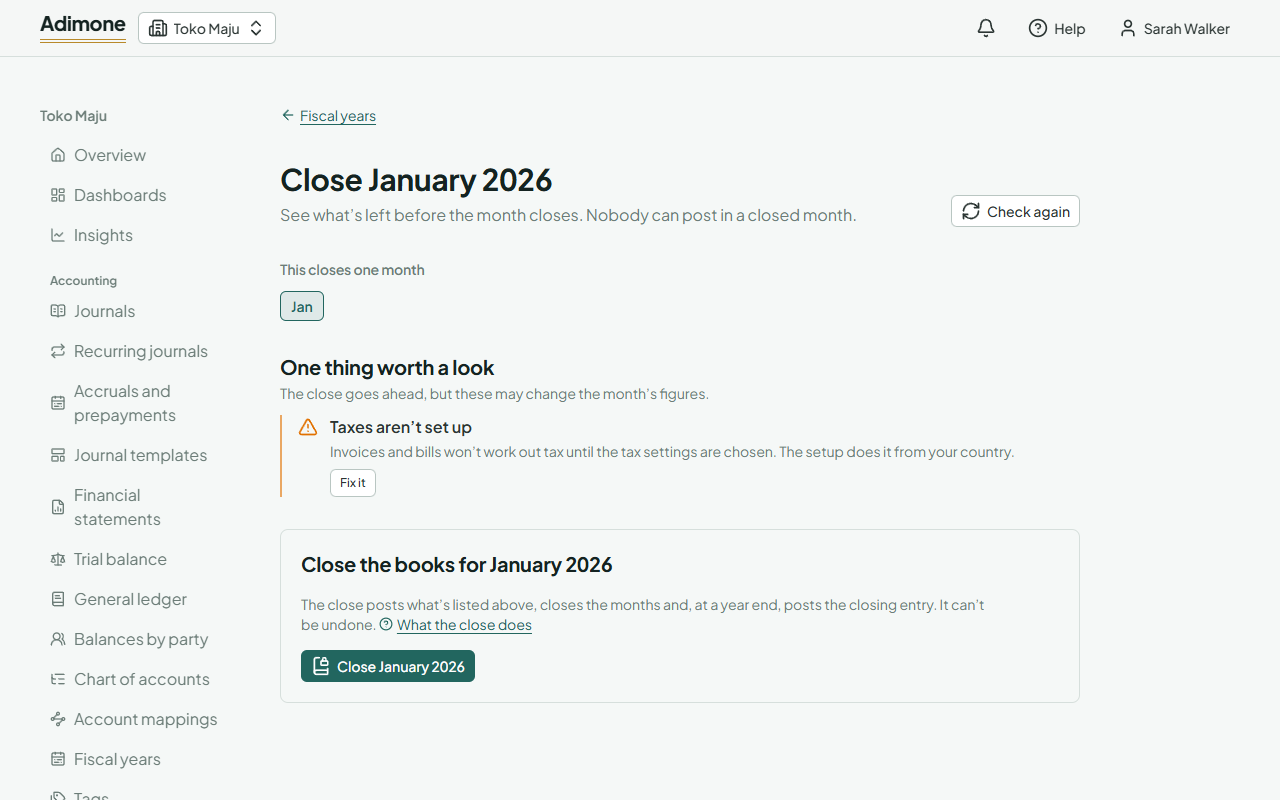
Closing a month makes its figures final: nobody can post in a closed month, and a close can't be undone. Before it closes, the close checklist shows what is left, does the routine work for you, and points at anything worth a look.
Close a month
- Open Fiscal years, choose the month's tile and Close the month.
- At the top you see what the close takes along: any earlier month still open closes with it, and when the month ends a fiscal year, the year closes too.
- Work through the checklist (below). The close stays unavailable while anything is listed under things to fix first.
- Choose Close and confirm.
Adimone reminds the people who manage fiscal years in their notifications when a month has ended and isn't closed yet, and again a week later.
What the close does
The checklist has three groups:
- Things to fix first stop the close: the month hasn't ended yet, a foreign currency has no exchange rate at the month's end (Enter the rate), or an account the close posts to isn't mapped (Map the account).
- Things the close does are posted for you, in this order: the installments of schedules and the recurring journals due by the month's end, and the revaluation of foreign balances.
- Things worth a look don't stop the close but may change the month's figures: draft journals and documents dated in it (drafts don't count in the books), a schedule or recurring journal that is paused or failed, and the warnings of books health.
Then the months close and, at a year end, the closing entry posts. Tick Also lock the books to move the lock date to the month's end as well; it is suggested at a year end, because older years are compacted only once they are locked.
If anything on the checklist changed while you were reading it, the close asks you to look again.
Close a fiscal year
A year closes by itself when you close its last month. To close an ended year straight away, choose Close the year next to it. Its months close and the closing entry moves the year's income and expenses into retained earnings, one entry per currency. Earlier years must be closed first.
Reports read the same after the close: the income statement still shows the year's profit, and the balance sheet already counted it in retained earnings. Choose Closing entry next to a closed year to see it.
Revaluing foreign balances
Balances in a foreign currency on cash and bank accounts, receivables and payables are carried at the rates of the days they were posted. At a month's end they are restated at that day's rate; the difference is an unrealized exchange gain or loss.
Choose a month's tile and Revalue foreign balances to see each balance: in the currency, in the books, at the month-end rate, and the difference, with the gains and losses in total. Revalue posts the difference, dated the month's end, and reverses it on the next day, so the next month starts again from the posted figures. A daily job revalues the month that ended last by itself, and the month-end close revalues every month it closes. A currency without a rate at the month's end is left as it is: enter its rate in Currencies.