
Choose the accounts entries post to
Sales, purchases, payments and taxes post on their own; account mappings say to which accounts.
When you record a sale, Adimone writes the journal entry for you: the customer owes you, sales go up, and the tax you collected is owed to the tax office. Account mappings say which account each of those amounts lands in. A chart template sets them up, so most businesses never need to change them.
Read the mappings
Open Account mappings. Each line is a role, such as Accounts receivable, Sales or Output tax, with the account it posts to. Under the role's name you see the kind of account it takes.
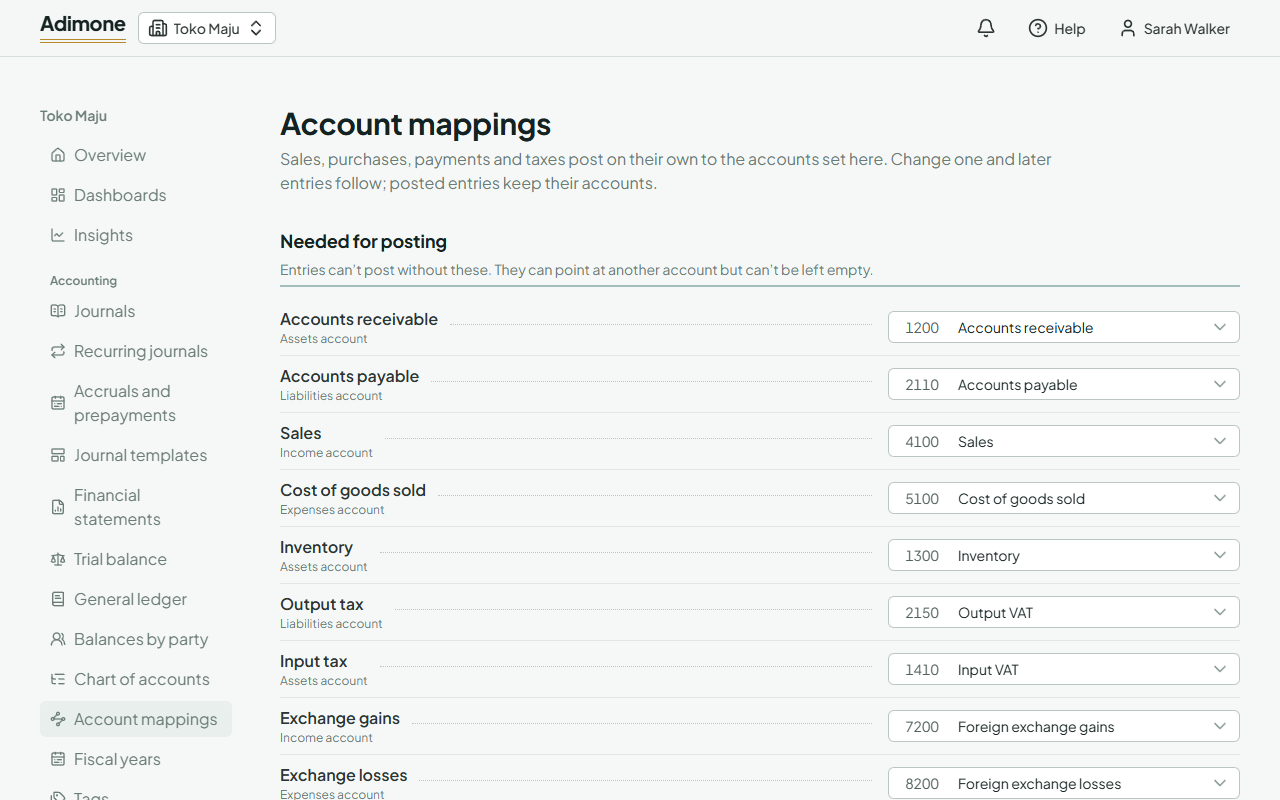
- Needed for posting lists the roles entries can't post without. They can point at another account but can't be left empty. If one isn't mapped, a warning at the top names it.
- Other roles are used only by the documents that need them, such as point of sale or production. Leave the ones you don't use empty.
- Roles your tax codes name appear when one of your tax codes posts to a role that isn't in the standard list.
- Tax codes with accounts of their own lists the codes that post somewhere other than the default (see Give a tax code its own account).
Point a role at another account
Pick another account in the role's list. Only active accounts that aren't headers, of a type the role takes, are offered. The change is saved at once.
Entries posted from then on use the new account; entries already posted keep theirs. To clear an optional role, use the × in its list.