
Change product settings
Open or close sign-up, set the trial and grace periods, the app's name and the maintenance hour.
A few things about how Adimone behaves on your server are settings rather than code. Superadmins change them under Settings in the admin console.
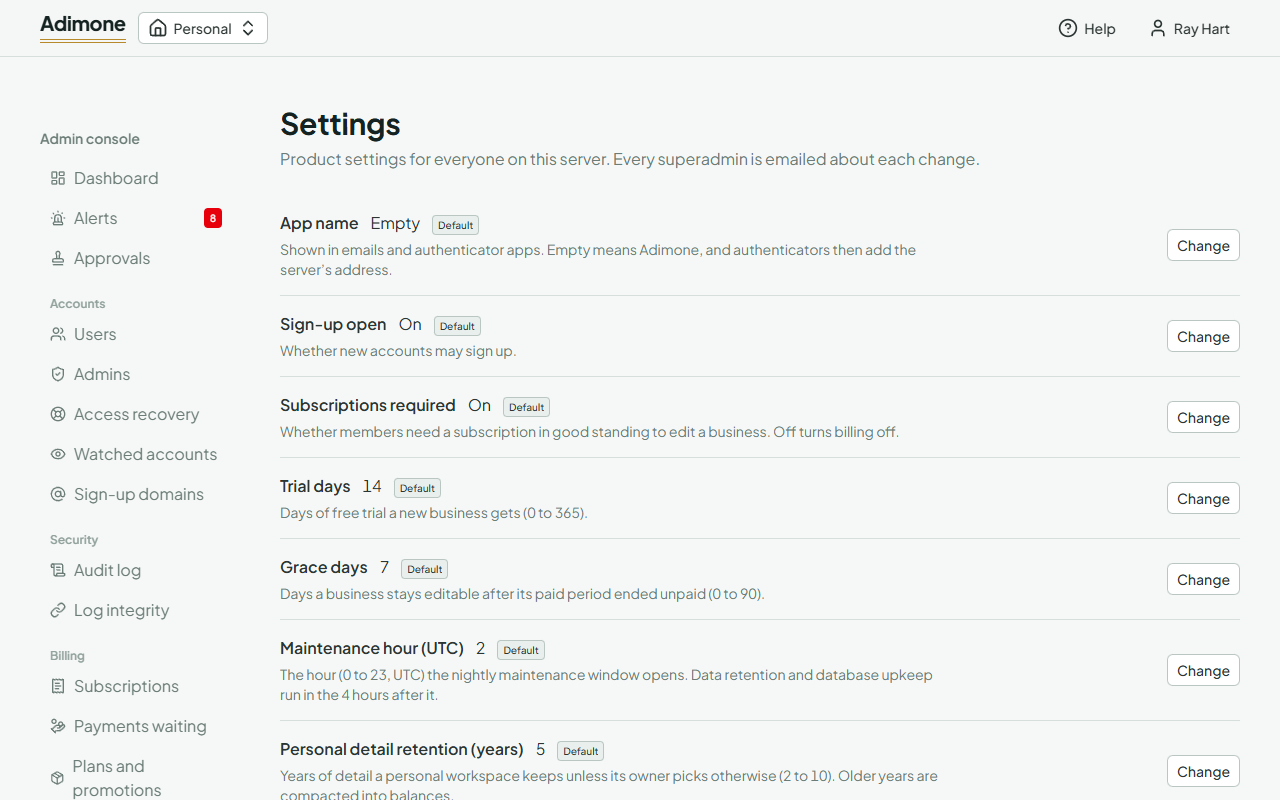
Each setting shows its value, what it does, and Default while it hasn't been changed. To change one, choose Change, set the new value, write the reason and choose Save changes; you may be asked to confirm with a passkey. The change applies at once on every server, is kept in the audit log, and every superadmin gets an email about it.
- App name: shown in emails and authenticator apps. Leave it empty to use Adimone.
- Sign-up open: off stops new accounts from signing up.
- Subscriptions required: off lets every business edit without a paid plan, which turns billing off.
- Trial days and Grace days: how long a new business's free trial lasts, and how long a business stays editable after an unpaid period ends.
- Maintenance hour (UTC): when the nightly maintenance window opens.
- Dedicated admin accounts: on requires admins to use an account that isn't a member of any business.
- Server mode: read-only or suspended for maintenance. It has its own page, Server mode, because changing it needs a second superadmin's approval.