
Change plans, add-ons and promotions
Edit what your server sells, see which businesses a change reaches before you save it, and run promotion codes and campaigns.
Plans, their prices, features and limits, add-ons and promotions are data you change in the admin console, not code. Billing admins change them under Plans and promotions; Support can look but not change.
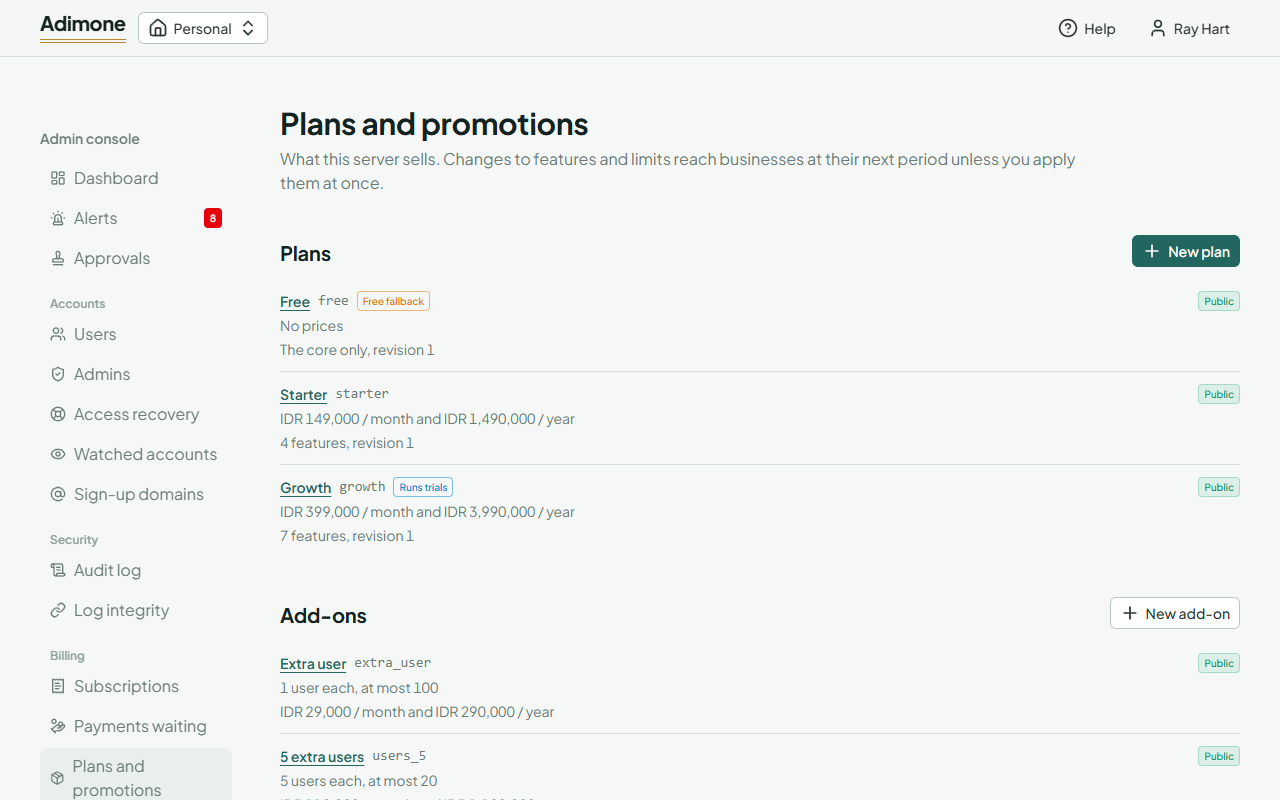
Change a plan
Open a plan to see its prices, the features it unlocks and its limits (an empty limit means unlimited). While you edit, What this changes asks the server how many businesses on the plan would lose a feature or get a lower limit.
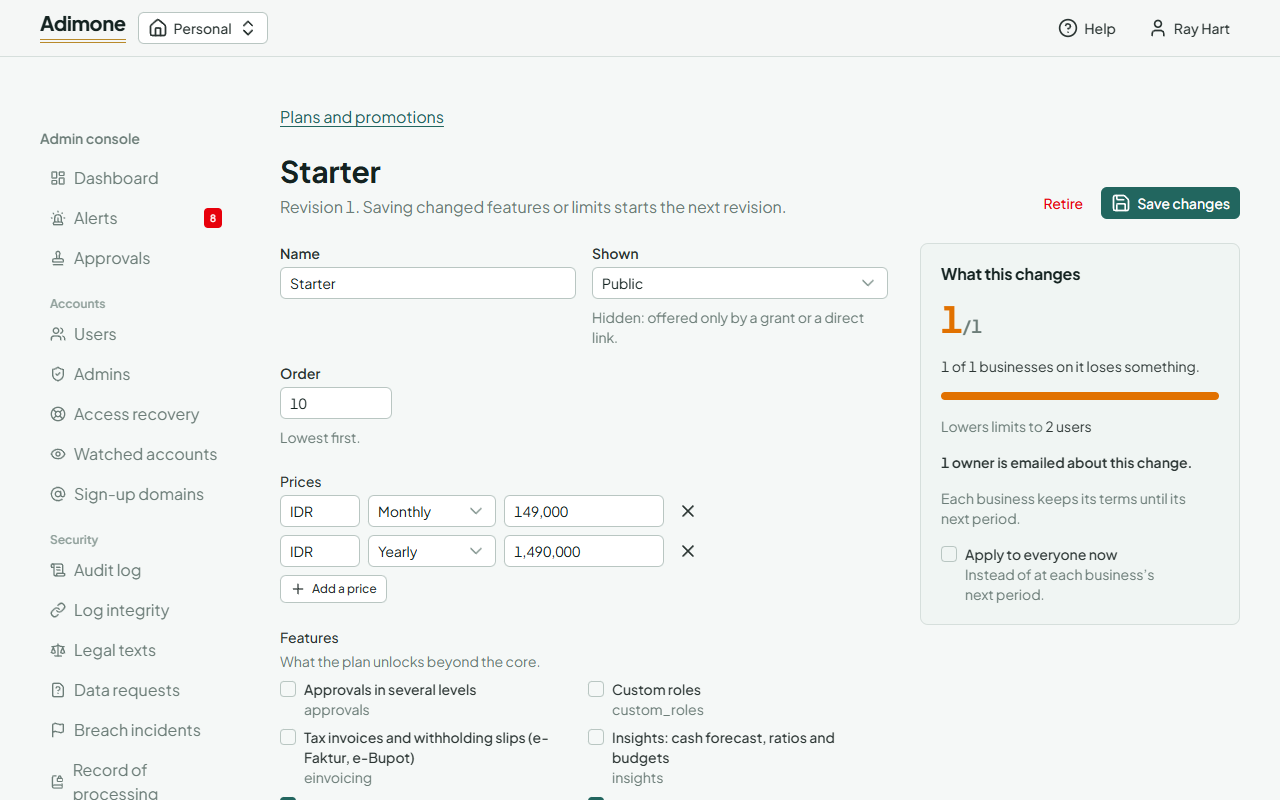
Changed features or limits start the plan's next revision. Each business keeps its current terms until its next period, so nobody loses something they already paid for. Tick Apply to everyone now to move every business at once; taking something away at once waits for a second billing admin's approval. Names, prices, order and whether the plan is shown don't start a revision. A lower price applies from each business's next renewal. A higher one is listed under Prices rising for current subscribers with the date renewals start paying it: 30 days after you save, so owners hear of it first. The panel also says how many owners are emailed about the change (a price they renew into rising, or something their business loses); they are emailed once you save.
Two plans have a role:
- Free fallback: where every business lands when nothing is paid. It needs no price, and its businesses get changes at once.
- Runs trials: new businesses' trials run on it, for its trial days (0 uses the server's setting).
Retire a plan to stop offering it; businesses on it keep it until they change. The Free fallback can't be retired.
Add-ons
An add-on raises a limit (for example five more users) or unlocks one feature, at a price per unit and on the plans you tick. What it raises and by how much can't change once saved; retire it and create another instead. Businesses that hold a retired add-on keep and renew it.
Promotions
A code is typed by the owner at checkout; a campaign applies by itself to every checkout while it runs, and can also lengthen new businesses' trials. Each takes a percentage or an amount off a number of paid periods, on the plans you tick (none ticked: every plan), between its start and end, up to its number of uses. The line at the top reads the discount back as owners will get it.
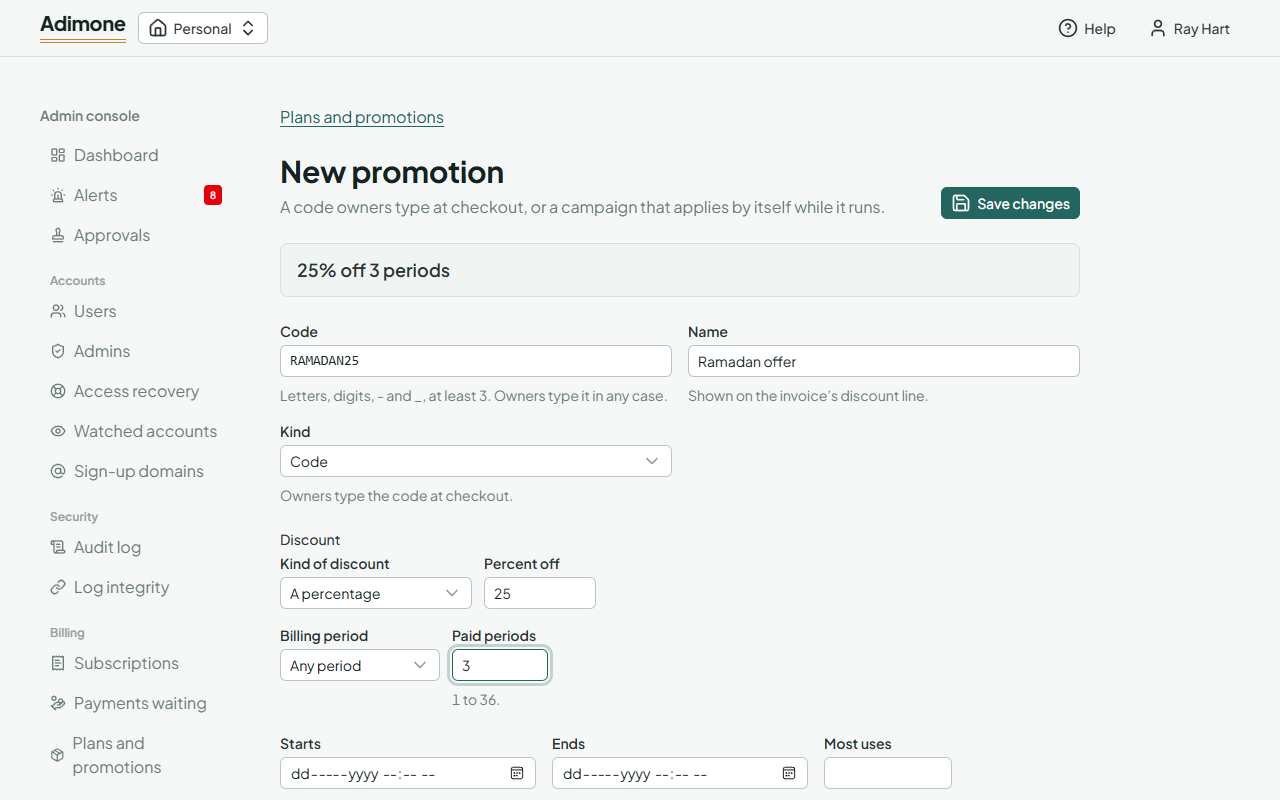
Once a business has used a promotion, its discount is fixed; you can still change its name, plans, dates and cap. More than half off, or a trial over 90 days, waits for a second billing admin. Retire stops new uses; businesses that used it keep their discounted periods.