
Help a business with its subscription
Find a business's subscription, grant it time, hold it, adjust its features, limits or price, or end it.
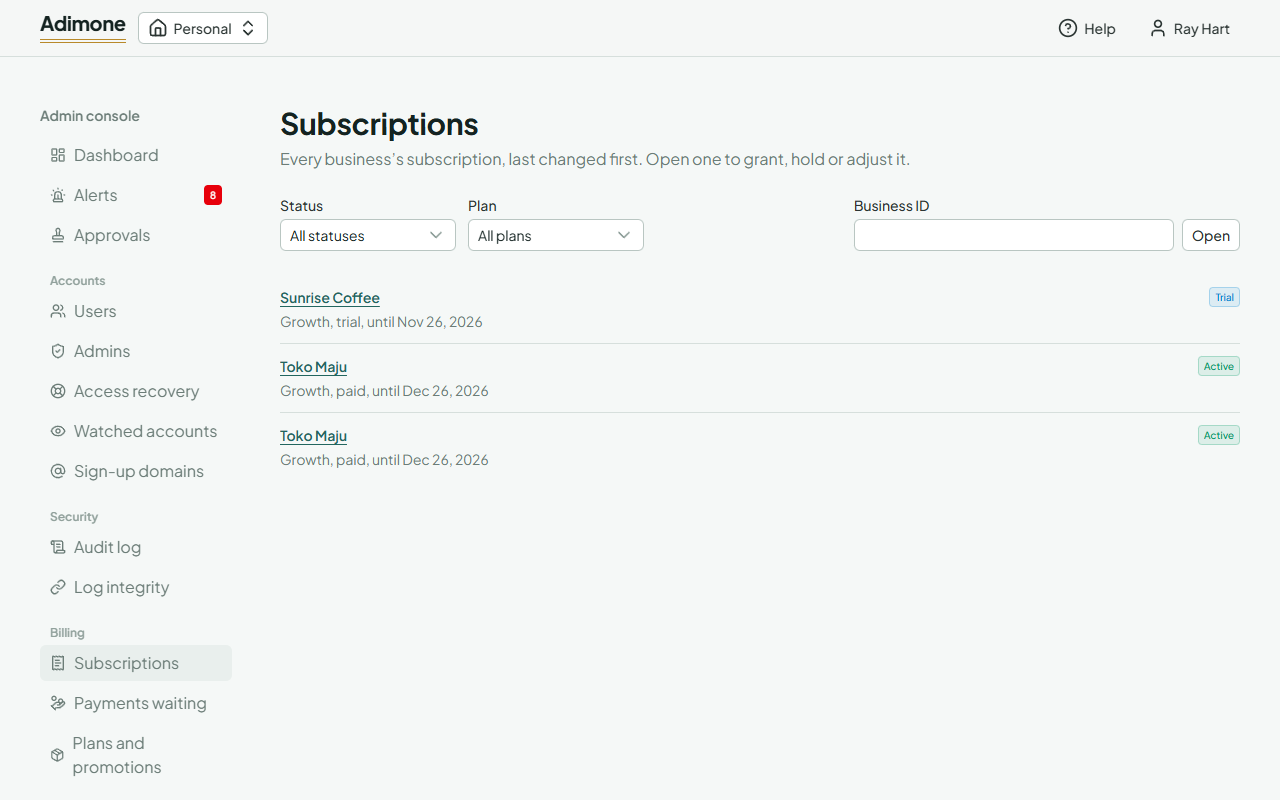
Subscriptions lists every business's subscription, last changed first. Filter it by status or plan, or paste a business's ID into Business ID and choose Open: owners find the ID in the app's address, after /w/.
A business's page shows its plan and status, how far the period has run, when it would turn read-only, what it has now (features, limits and add-ons), its adjustments and its invoices. The console never shows a business's books.
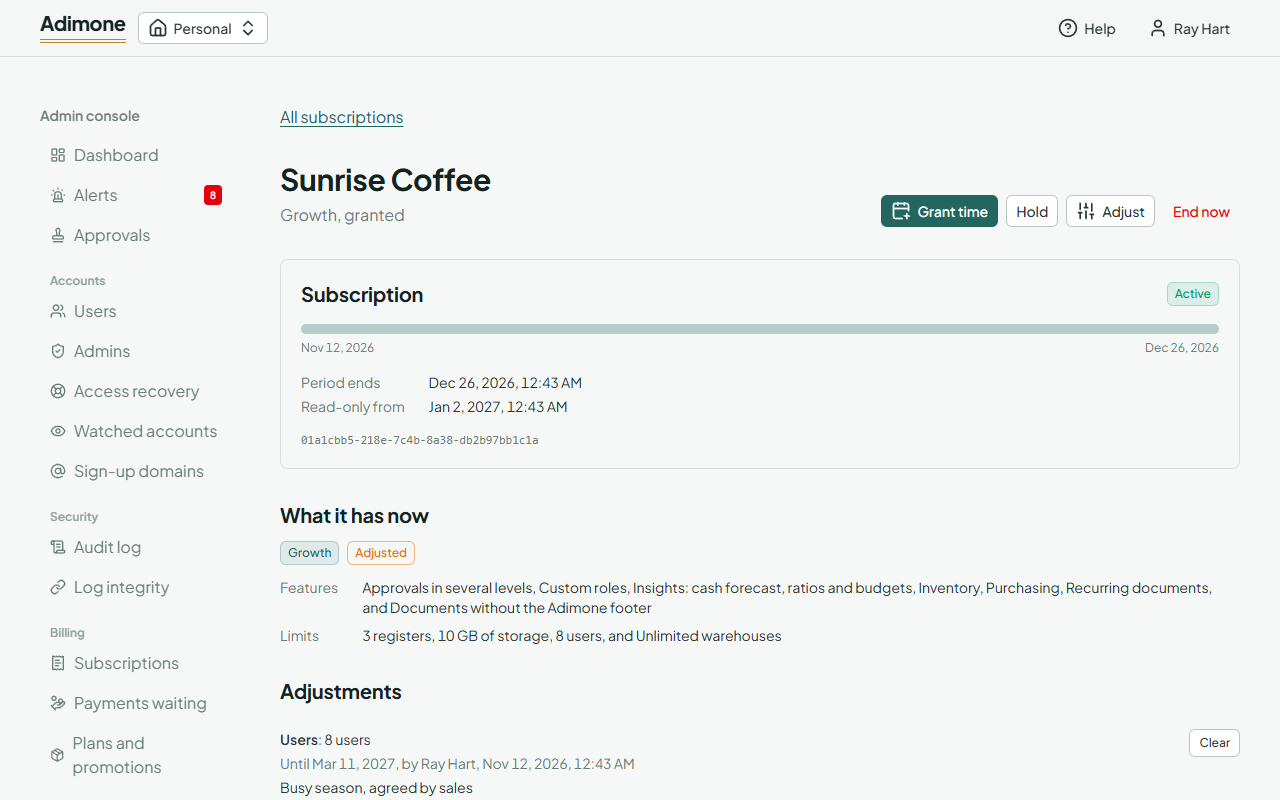
Billing admins can act from the buttons at the top; each asks for a reason, kept in the audit log and the business's history, and you may be asked to confirm with a passkey.
Grant time
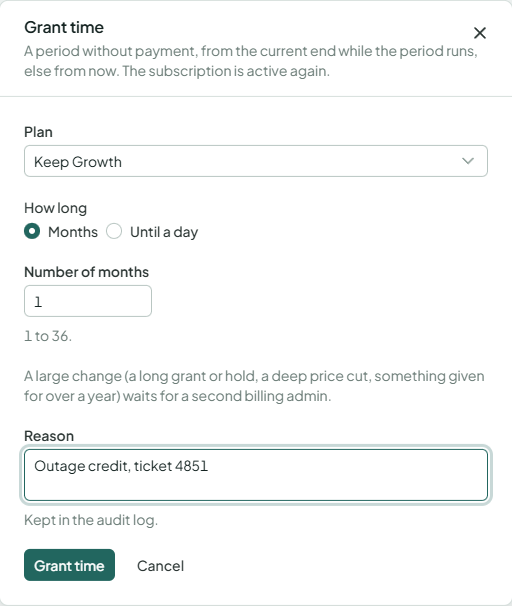
Grant time gives a period without payment: a number of months, or until a day. It counts from the end of the current period while that runs, else from now, and the subscription is active again. Choose a plan, or keep the current one.
Hold and release
Hold pauses billing for up to 90 days: nothing is charged, locked or sent meanwhile, and the held time isn't charged afterwards. Release the hold ends it early.
Adjust a business
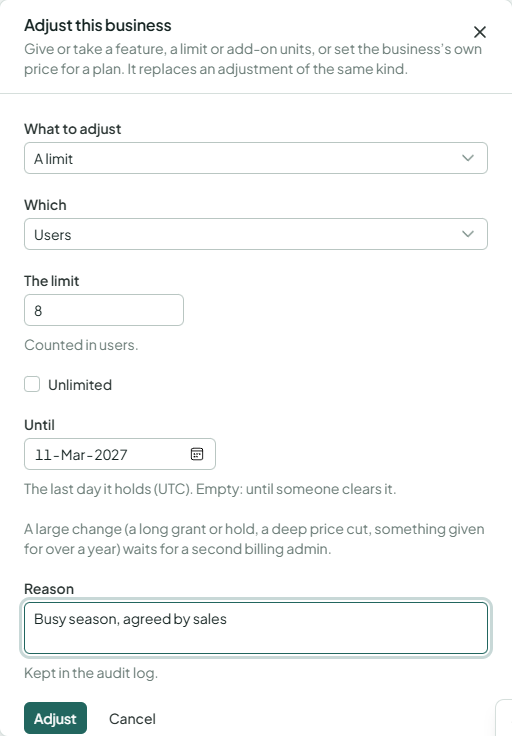
Adjust gives or takes away a feature, sets a limit, gives or takes add-on units, or sets the business's own price for a plan, optionally until a day. An adjustment replaces the one of the same kind and lasts until its last day or until you Clear it. Owners see only that their plan is adjusted, never your reason.
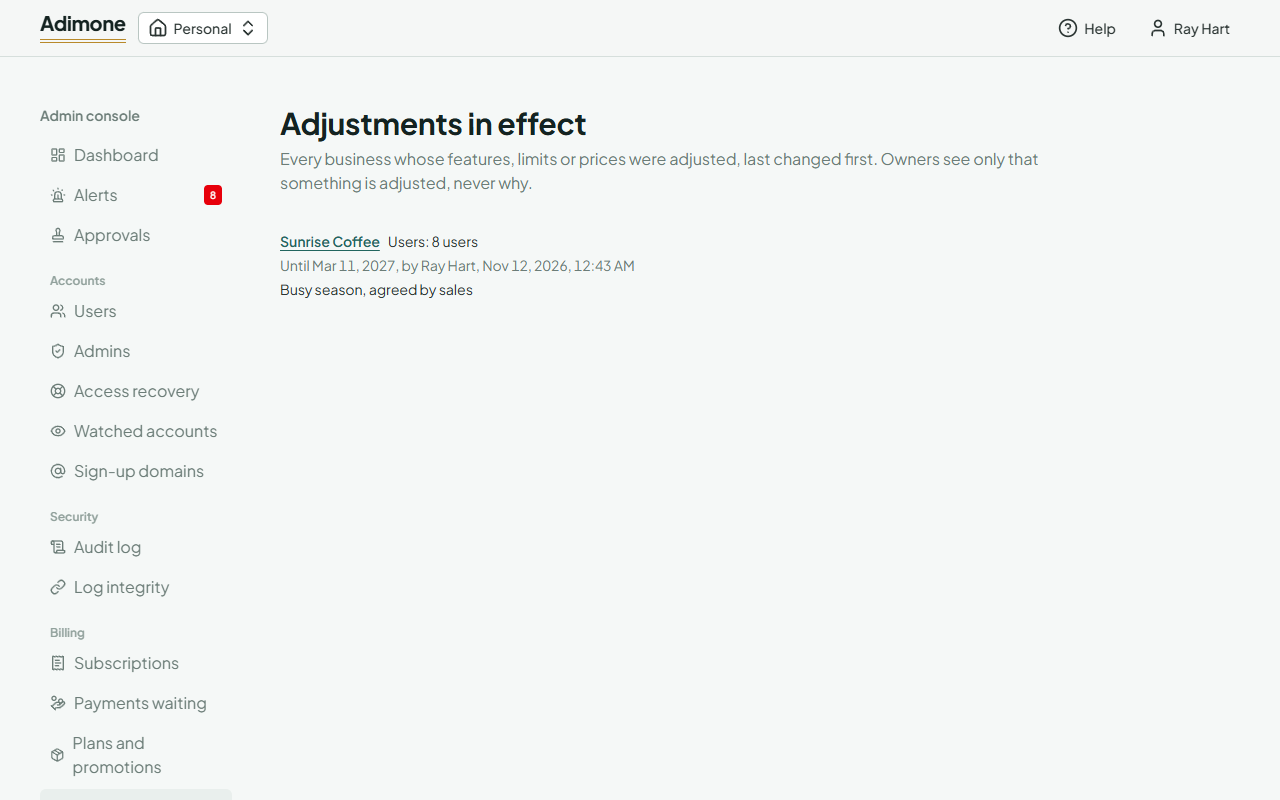
Adjustments in the navigation lists every business's adjustments in effect.
End a subscription
End now moves the business to the Free plan at once and emails the owner. Nothing is deleted.