
Search and check the audit log
Find who did what and from where, export the events, and check that the log was not changed.
Every sign-in, change and administrator action on a Adimone server is written to the audit log. Security admins and auditors read it under Audit log in the admin console.
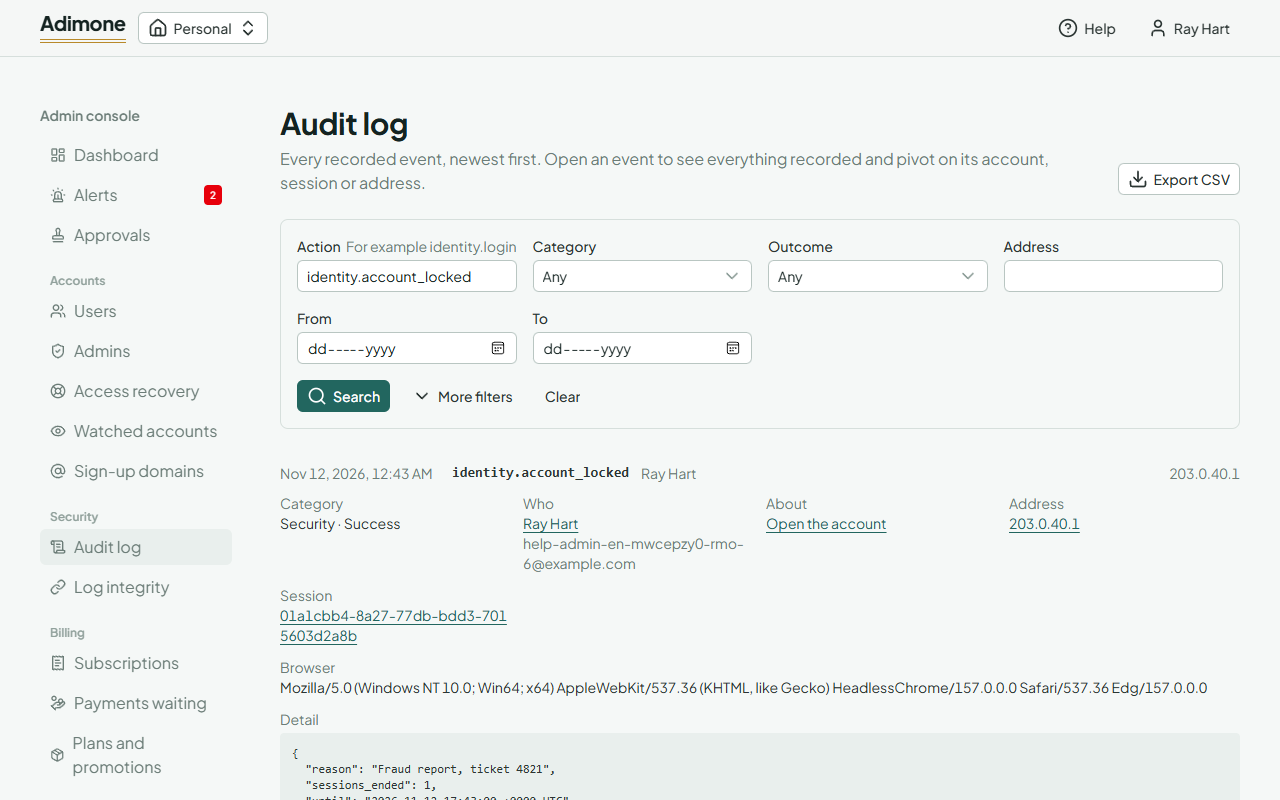
Search
Fill in what you know and choose Search: the Action (for example identity.login), the Category, the Outcome, the Address and the days. More filters adds the account, who acted, whom it was about, the session, the record and the chain; links from other pages (an account's events, a session's events) fill these in for you. Clear starts again.
Choose an event to open it. It shows who acted, about whom, from which address, session and browser, what was recorded and the event's place in the log (its chain, number and hashes). The address and the session are links to everything else done from them. Link to this event gives an address to share with a colleague.
Export
Export CSV downloads the events that match the search (at most 10,000; narrow the search if there are more), with their chains and hashes so that the copy can be checked later. It asks you to confirm with a passkey, and the export itself is logged.
Check the log
Each event is hashed together with the one before it, so changing or deleting an event breaks the chain. A check of every chain runs each night. To run one now, go to Log integrity, leave Chain empty (or name one) and choose Check now; the result appears in the list within a minute.
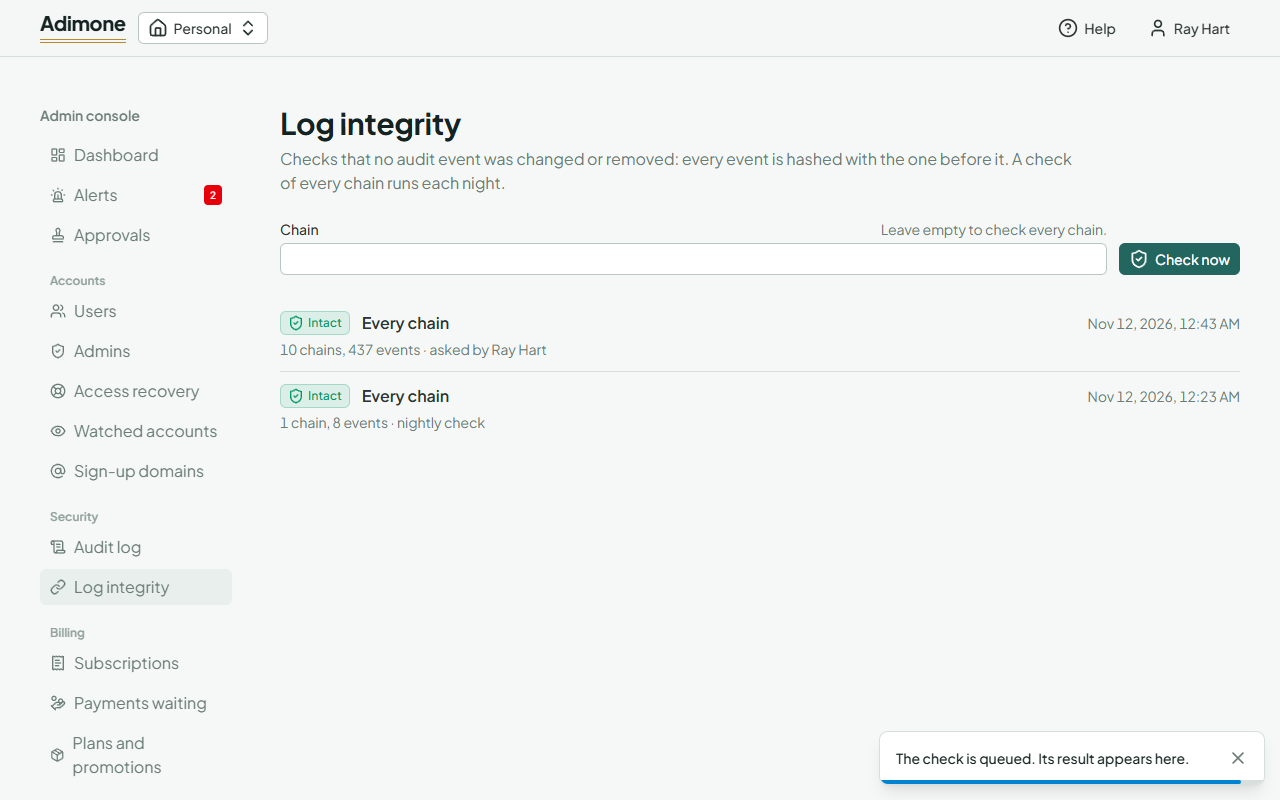
Intact means every event is as it was written. Broken names the chains that failed: treat it as an incident, because someone with access to the database may have changed the log. A broken chain also raises a critical alert.