
Return goods and take allowances from vendors
Debit a posted vendor bill for goods you send back or a price the vendor lowers, choose where returned goods leave from, post the debit note, and void it.
A debit note takes money off a posted vendor bill. Use it when you send goods back to the vendor, or when the vendor lowers the price of goods you keep (an allowance). Posting it lowers what you owe the vendor, takes the taxes off, and sends returned goods out of stock at what they cost when they came in.
To cancel a bill recorded by mistake, void the bill instead. A debit note is for a real purchase you correct afterwards. Debit notes are on every plan, the Free plan included.
Start a debit note
- Open the posted bill and choose Debit this bill.
- Pick the Debit note date: the day what you owe comes down in the books, the bill's day or later. The taxes always follow the bill's rates.
- Give the Reason, such as "10 bags damaged on arrival". The owner's review list shows it.
- Choose Start the debit note. A draft opens with everything of the bill not debited yet, the goods its goods receipts brought in going back.
Send goods back or take an allowance
Narrow the draft to what really happened. Each line debits a line of the bill and keeps its item, unit, discount and taxes. Under the item, the line says what the bill billed and how much is left to debit, and under the line, in a few words, what the line does.
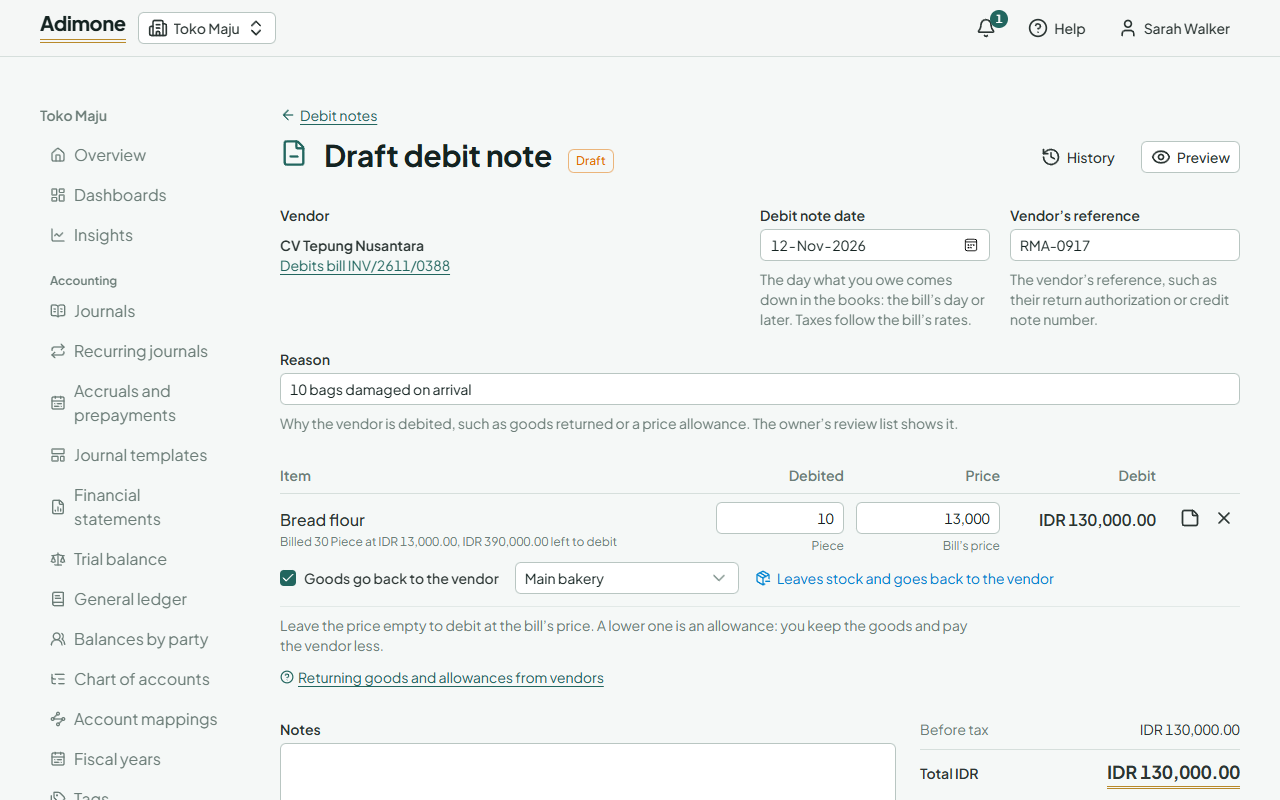
- Debited is the quantity, in the bill line's unit. It can't be more than the bill billed.
- Price is empty to debit at the bill's price. Type a lower price for an allowance: you keep the goods and pay the vendor less. Clear Goods go back to the vendor for such a line. The stock you keep then costs that much less.
- Goods go back to the vendor is offered for goods a goods receipt brought into stock. They leave the warehouse they came into, or the one you pick, in the lot or serial number they came in with. Goods already gone out can't go back from there: the warehouse must still hold them.
- Bills of services and goods not kept in stock only take amounts off the bill.
- Remove the lines you don't debit. Add a line of the bill puts one back.
- Open a line's options to add a note printed under it.
Once goods of a line went back, an allowance on that line is refused. Put the lower price on the return's own line instead.
Choose Save draft to finish later, or Post debit note.
Post the debit note
Post debit note lowers what you owe the vendor on its date, takes returned goods out of stock and issues the debit note with its number. An allowance on goods in stock lowers their cost, and on goods already sold, the cost of what was sold. Only people with the post permission see the button. Others save the draft for them to check. If the owner chose that someone else must check debit notes, the person who wrote the draft can't post it.
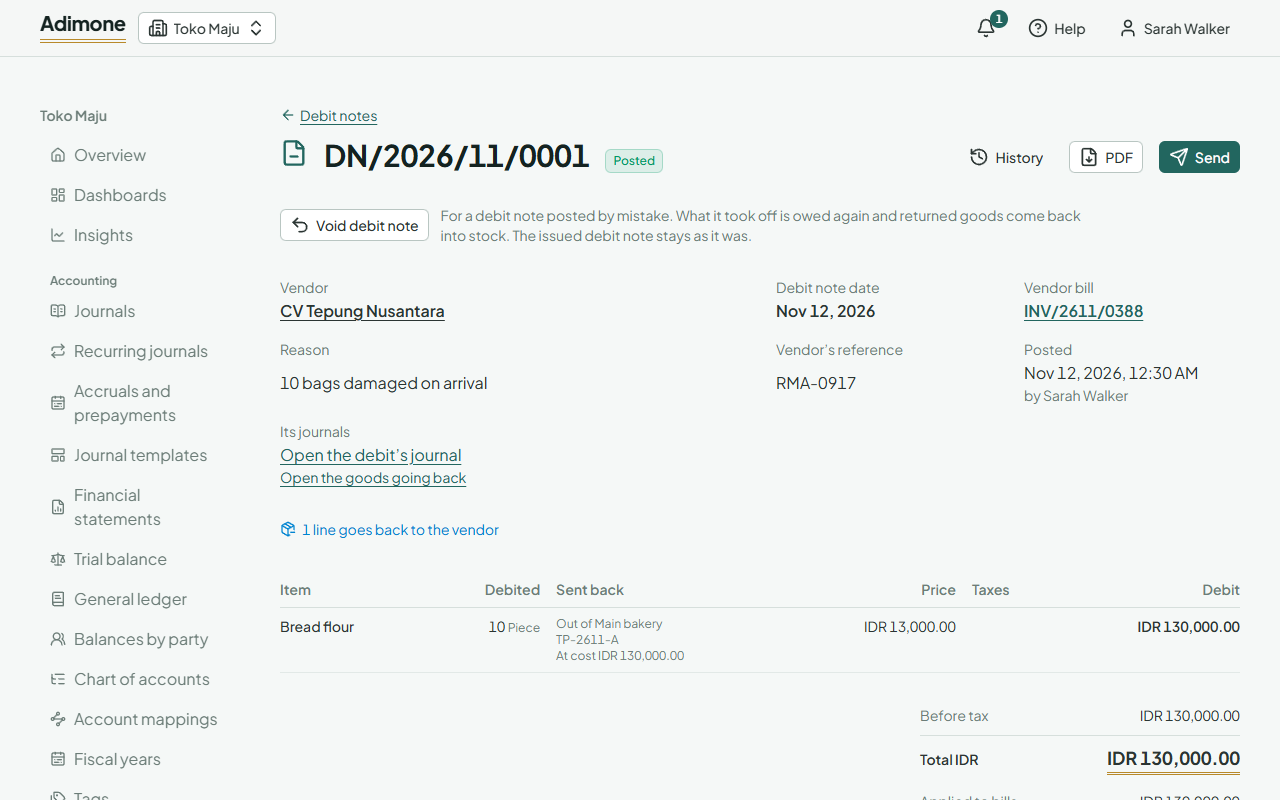
- PDF opens the issued debit note; Send emails it to the vendor or makes a link (Send documents).
- The bill shows how much of each line was debited and sent back, and lists its debit notes. What you still owe the vendor goes down.
- Those who see the ledger find the debit's journal and, for returned goods, the goods going back. The journal links back to the debit note.
- Debit notes in Purchasing lists them all. Tick posted ones to export their PDFs together.
When the bill was already paid
Posting applies the debit note to its own bill first, as far as the bill still owes. When the bill was already paid, the rest is a credit the vendor owes you: the debit note shows what was Applied to bills and the Credit left, which can settle the vendor's other bills.
Void a debit note
For a debit note posted by mistake, open it and choose Void debit note. Pick the day (its own or later) and give the reason. What it took off is owed again, returned goods come back into stock, allowances put the goods' cost back, and the bill counts them as not debited. The issued debit note stays as it was.
A bill that a posted debit note debits can't be voided. Void the debit note first. A debit note whose credit settles the vendor's other bills can't be voided either: reverse those allocations first.