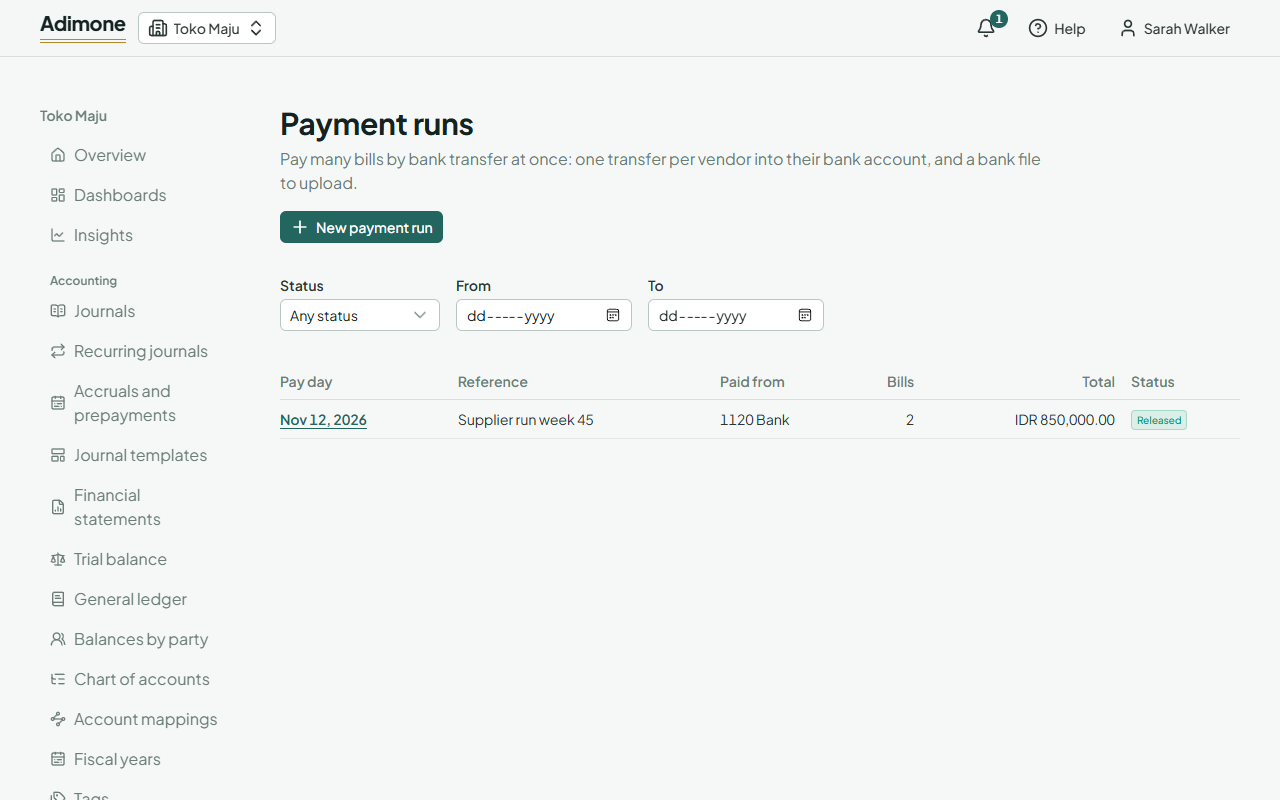
Pay many bills at once
Keep vendors' bank accounts, gather the bills due into a payment run, check where the money goes, release it as one payment per vendor and download the bank file.
A payment run pays many vendor bills by bank transfer on one day, out of one bank account. Each vendor is paid once, into their bank account, for all their bills in the run. Releasing the run posts those payments, each with its voucher, and gives you a bank file to upload to your bank.
Payment runs come with plans that include purchasing.
Keep vendors' bank accounts
A run pays each vendor into a bank account kept on their page in Customers and vendors. Bank details are private: they show only to people who may see them, only when someone chooses Show bank accounts, and every look is recorded.
- Open the vendor and choose Show bank accounts, then Add bank account.
- Fill in the Bank as people name it, the Bank code your bank file needs (the clearing code or SWIFT), the Account number and the Account holder as the bank has them.
- A vendor's first account is their default. With several, choose Make default on the one runs should use.
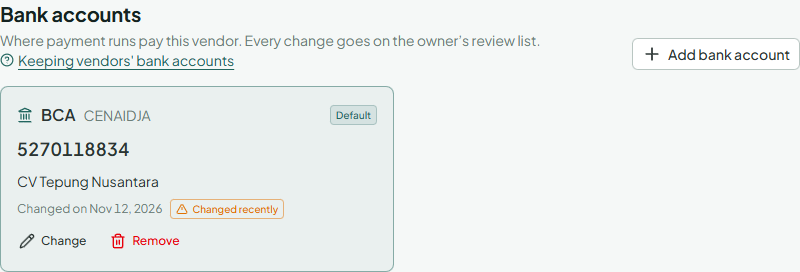
Only the owner and administrators add, change or remove bank accounts, and every change goes on the owner's review list. Copy the details from the vendor's own letter or invoice. A message asking you to pay into a new account is the most common way businesses lose money to fraud: call the vendor on a number you already know before changing anything. An account changed in the last 30 days is marked Changed recently.
A vendor with bank accounts can't be deleted; deactivate them instead.
Start a run
- Go to Payment runs in Purchasing and choose New payment run.
- Pick the Pay day (the day the transfers go out) and Bills due by: the run takes every posted bill that still owes something and falls due by that day, the earliest first, up to 200 bills.
- Paid from is the bank account the money leaves. Left empty, it is the account set for the bank in Account mappings.
- Add a Reference: it goes on each payment and in the bank file.
- Choose Gather the bills. The run opens as a draft.
Only people who record payments and see purchase prices prepare runs (Who sees purchase prices).
Check where the money goes
The draft lists one transfer per vendor, with the bills it pays, each bill's due date and what is paid of it.
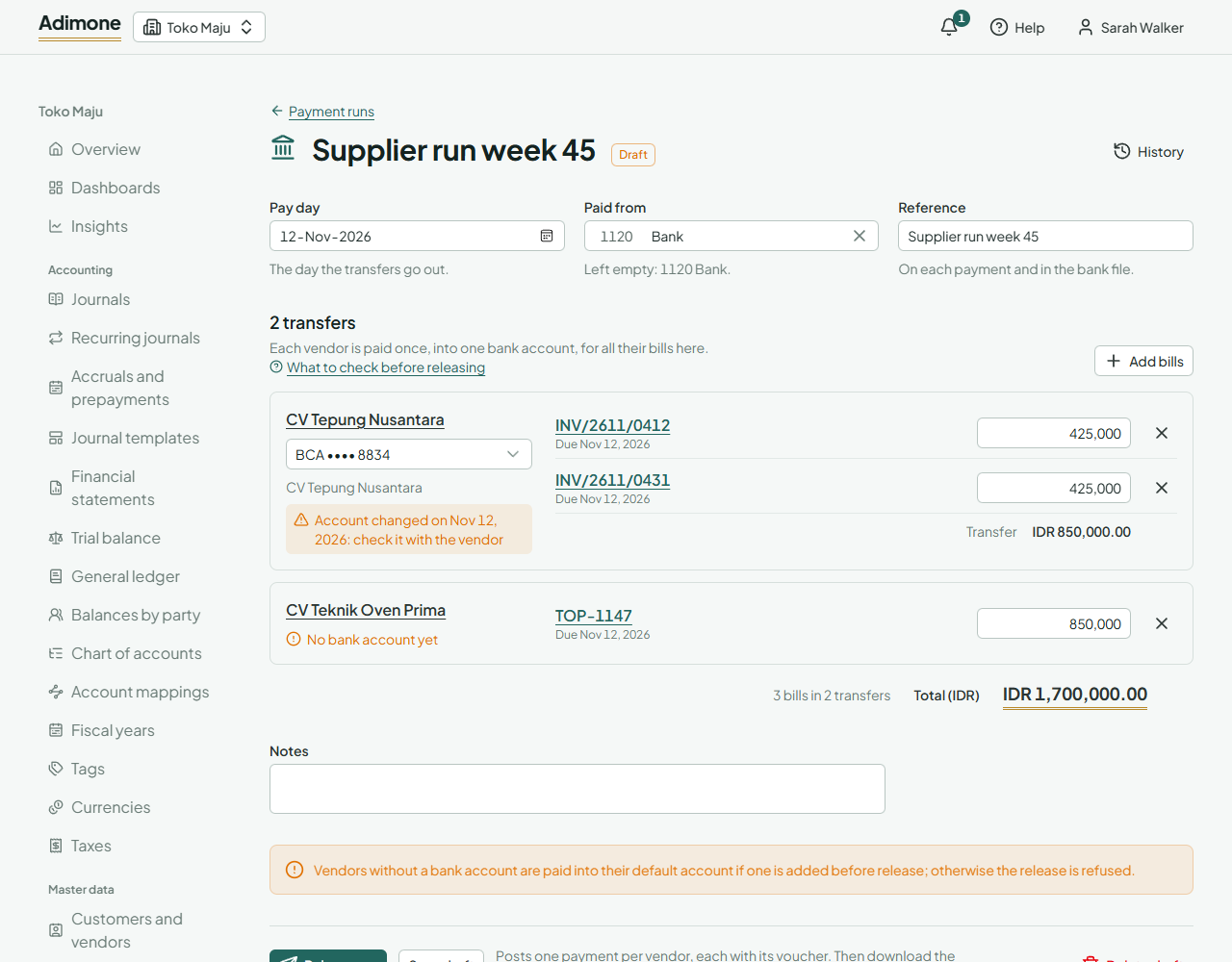
- Type a smaller amount to pay part of a bill; leave it empty to pay all it owes.
- Add bills picks more open bills in the run's currency; the cross beside a bill takes it out.
- Show bank accounts shows each vendor's account (each look is recorded). With several, choose which one this run pays into.
- Look twice at any account marked with a change date: confirm it with the vendor before releasing.
- A vendor with No bank account yet can't be paid until one is added. Take their bills out, or ask the owner to add the account.
Choose Save draft to finish later.
Release the run
Release run posts one payment per vendor on the pay day, each with its numbered voucher, settling the bills in the run. Only people with the release permission see the button; others save the draft for them to check. If the owner chose that someone else must check payment runs, the person who prepared the run can't release it.
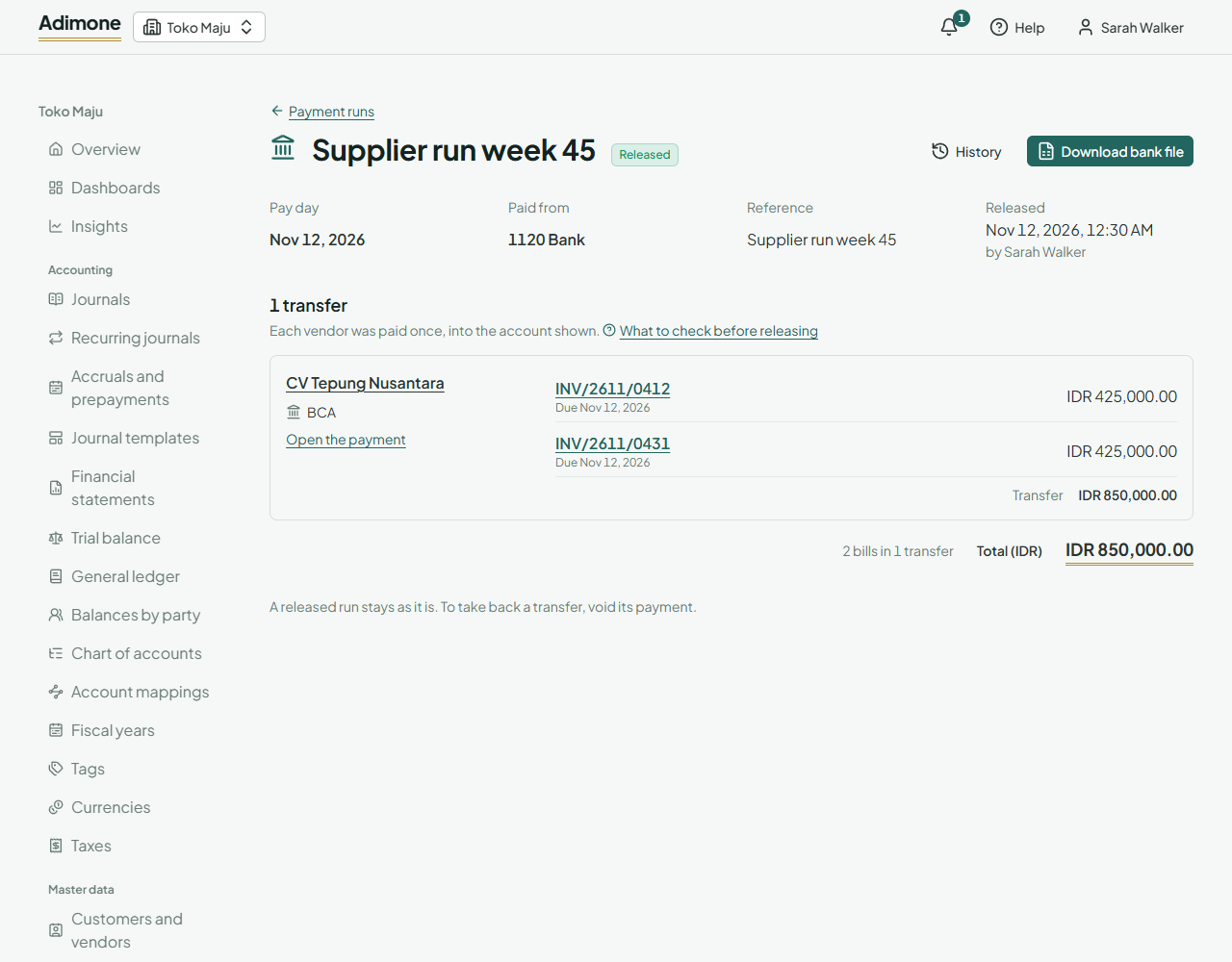
- Download bank file gives a CSV with one transfer per payment: the payment number, account number, account holder, bank code, bank name, amount, currency and reference. Upload it to your bank's bulk transfer, or copy the transfers from it. Each download is recorded.
- The bank details are kept as they were when the run was released, so a later change to a vendor's account doesn't change the file.
- Open the payment beside each transfer opens its payment, which links back to the run.
A released run stays as it is. To take back one transfer, such as one the bank refused, void its payment; the bills it paid owe again.