
Send a quotation
Offer a customer your prices, send the quotation as a PDF, and turn it into a sales order when they accept.
A quotation tells a customer what you'll charge before they order. It starts as a draft you can change, gets its number when you send it, and becomes a sales order when the customer accepts. Every step is optional: you can also write an order straight away.
Write a quotation
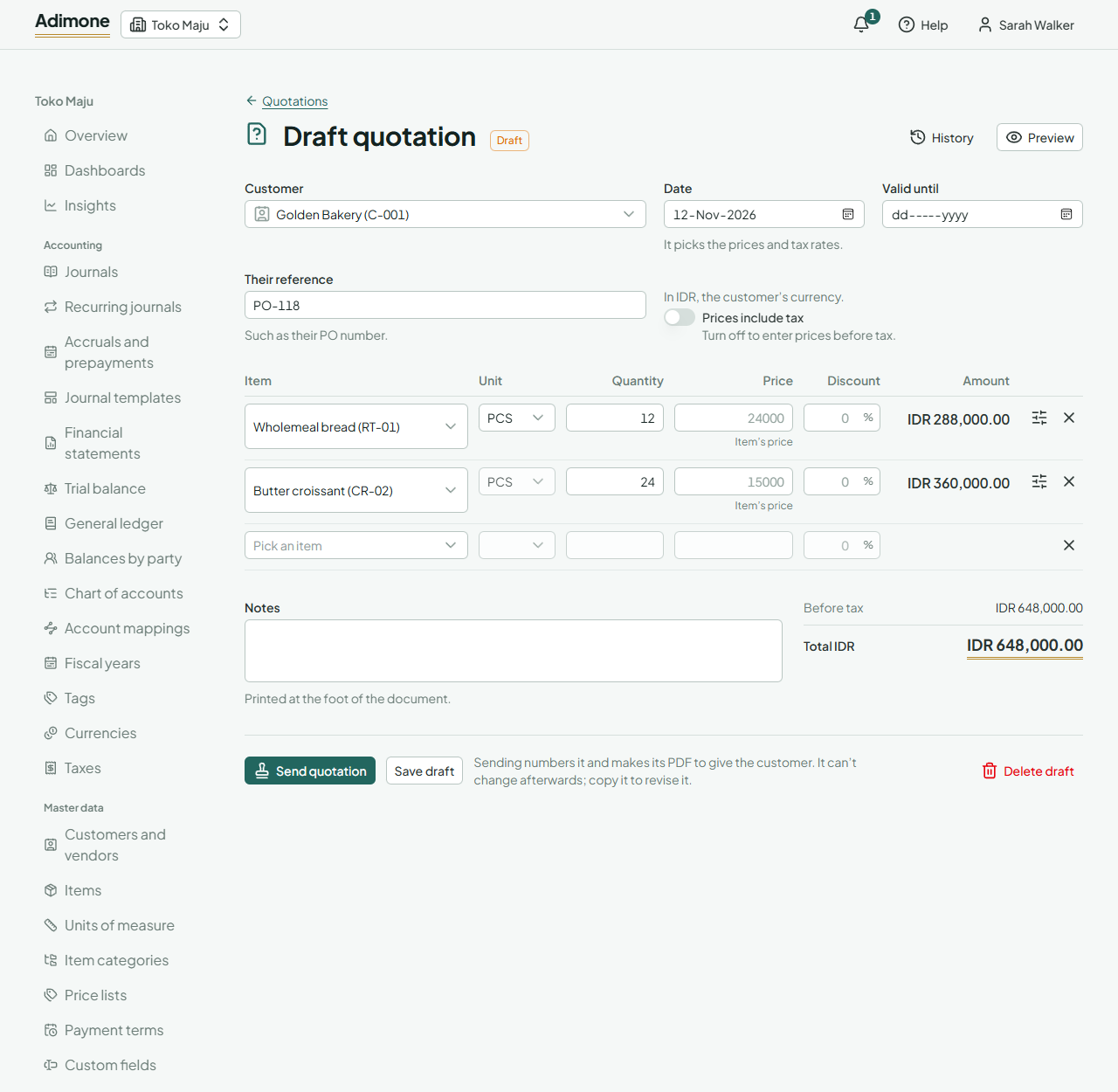
In Sales, open Quotations and choose New quotation.
Pick the Customer. The quotation takes their currency, language, payment term and addresses.
Check the Date (it picks the prices and tax rates) and, if the offer stands only for a while, the Valid until day.
Add a line for each item: pick the Item, its Unit and the Quantity. The Price fills in by itself and says where it came from:
It says The price comes from Price list The customer's price list, for that unit and quantity Price list, base unit The list's price for the item's base unit, converted Item's price The item's own sales price No price Nothing; type one in Own price A price someone typed instead Open a line's settings (the sliders button) to change its Taxes, add a Note under the item, or fill in your own fields. The usual taxes are the customer's default sales tax, else the item's.
Turn off Prices include tax if you quote prices before tax.
Choose Save draft. The totals show what is before tax, each tax and the total.
Only people allowed to override prices can type another price or give a discount. Everyone else quotes the prices from the price list, which keeps discounts under the owner's eye. Prices and totals show only to people who may see sales prices.
Send it and what comes next
Choose Send quotation. It gets its number and its PDF, and can't change afterwards. Choose PDF to look at it or download it and give it to the customer. Send emails it to the customer or makes a link to it (Send documents to customers).
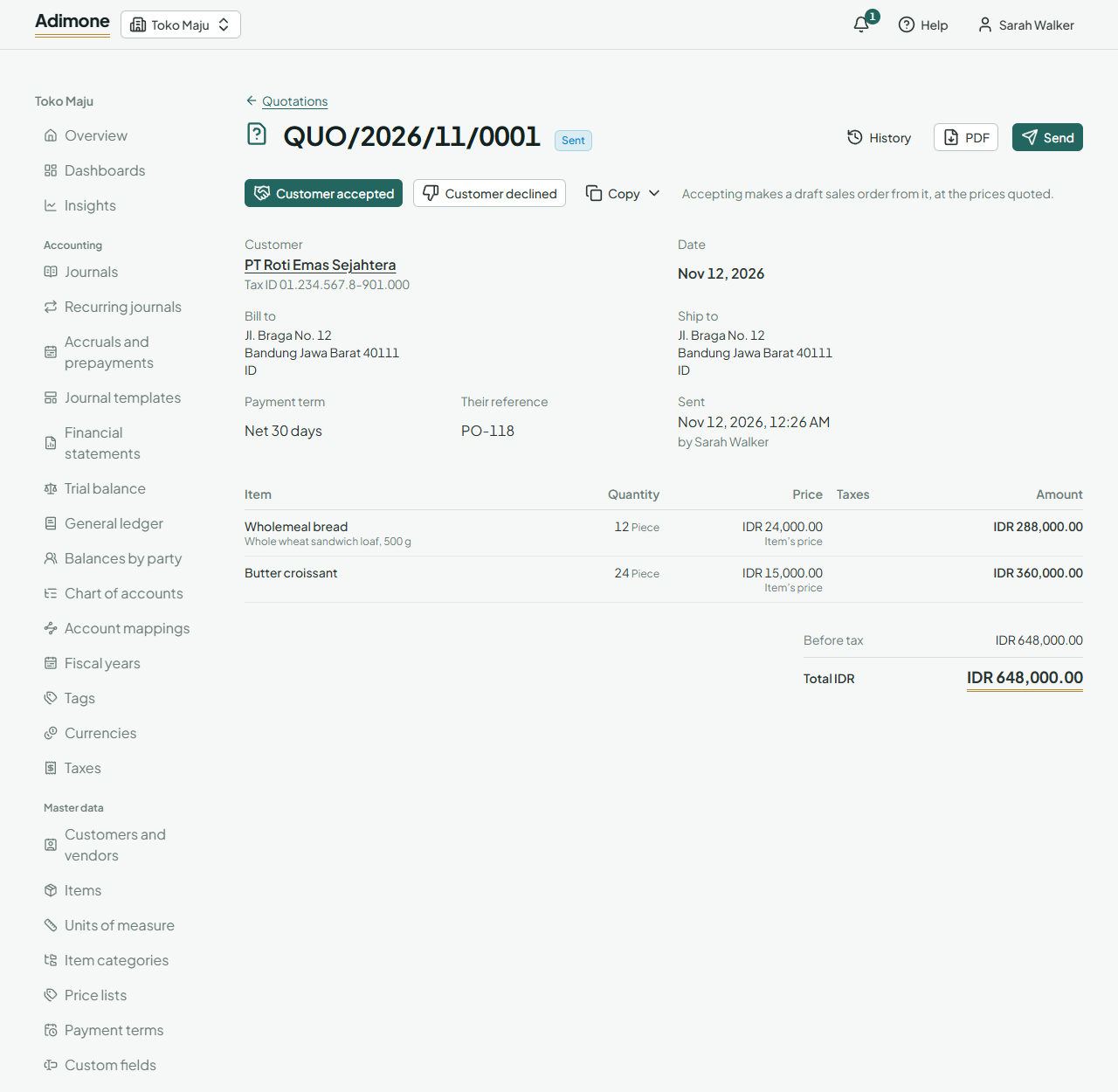
When the customer answers:
- Customer accepted makes a draft sales order at the prices quoted, even when the quotation has expired. Check the order and confirm it.
- Customer declined marks it declined with the reason they gave.
- Copy and then Revise as a new quotation starts a new draft from it, to send new prices; Make a sales order from it starts an order.
A sent quotation past its Valid until day shows as Expired in the list. Nothing else changes: the customer can still accept it.
A draft that isn't sent yet can be changed or deleted by anyone who writes quotations.